
advertisement
People get an average of 120 notifications a day. This flood of messages makes life seem to speed up. Yet, real work seems to slip away.
The main puzzle is the productivity paradox. Faster devices and instant messaging make us feel speedy. Yet, our actual output often goes down. Studies show that too many notifications and switching tasks often cut down on work time and increase stress.
This stress leads to technology burnout and makes information overload worse.
This article will explain why we feel rushed in today’s world. We’ll look at things like how often we get notifications, our social media habits, and multitasking. You’ll learn about the psychology behind it and how we got here.
Our aim is to help. Americans struggling with screen addiction, cyber fatigue, or technology burnout will find solutions here. We’ll share tips on managing time, detoxing from digital, and embracing minimalism to boost focus and productivity.
Here’s a quick guide: first, we’ll define and tackle digital overload. Then, we’ll explore how communication tools have evolved. Next, we’ll discuss the brain’s limits and how notifications affect us.
After that, we’ll offer tools for better time management, single-tasking, and reducing digital clutter. The final parts will cover detox plans, reconnecting with the real world, and future trends in work.
Understanding Digital Overload
Our lives are filled with more notifications, messages, and feeds than we can handle. This short guide explains how these constant inputs affect our thinking, work, and wellbeing. It connects old ideas about information overload with today’s screen addiction and cyber fatigue.
What is digital overload?
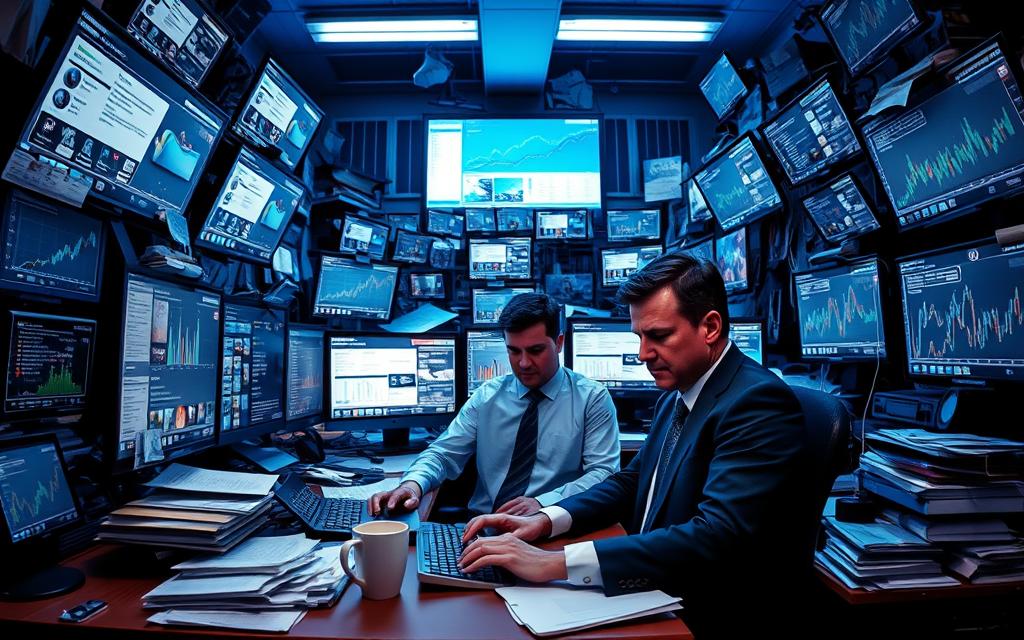
Digital overload happens when we get too much digital information. This can cause stress, shallow focus, and lower performance.
Things like constant emails, messages, and social media feeds add to the problem. They make our brains work harder. Switching between tasks often stops us from focusing deeply and remembering things well.
Signs you’re experiencing overload
Look for signs like feeling tired all the time, getting easily annoyed, and doing worse at work. Missing deadlines or working longer hours without getting more done is common.
Physical signs include headaches, eye strain, and trouble sleeping. Behavioral signs include spending more time on screens, pulling away from friends, and constantly checking things online. This can be a sign of screen addiction.
It’s also linked to technology burnout, addiction, and cyber fatigue. Burnout is about work stress and exhaustion. Addiction means using technology too much despite the harm. Cyber fatigue is about feeling mentally tired from being online all the time.
| Indicator | What to watch for | How it ties to digital stress |
|---|---|---|
| Attention and output | Lowered task quality, more mistakes | Context switching and information overload reduce focus |
| Mood and behavior | Irritability, withdrawal, compulsive checking | Screen addiction patterns and social strain emerge |
| Physical health | Headaches, eye strain, poor sleep | Cyber fatigue and disrupted recovery cycles follow |
| Work patterns | Longer hours with less output, missed deadlines | Perceived “always on” culture increases pressure |
| Survey and data links | Higher screen time correlates with reduced attention spans | Research and worker surveys report feelings of being always connected |
The Evolution of Communication Technology
Communication has changed from ink on paper to screen taps. This change shows big shifts in speed, what we expect, and how things are designed. Letters and telegraphs were slow, but today, we expect quick answers and to be always available.
At first, letters and telegraphs were the norm, with people planning for delays. The telephone brought real-time voice, changing how we work and connect with family. Email and SMS made things even faster, changing our work and social lives.
From Letterwriting to Instant Messaging
Instant messaging changed how we chat and work together. Apps like WhatsApp and Slack let us talk fast, without needing a phone call. This speed makes us expect quick answers and can interrupt our focus.
In work, more emails and chat apps have changed how we communicate. Studies show we’re dealing with more messages and divided attention. Managers now face the challenge of balancing quick communication with the need for immediate responses.
The Role of Social Media in Connectivity
Social media has changed how we connect and share news. Sites like Facebook, Instagram, X, and LinkedIn make it easy to interact with likes, comments, and feeds. This design keeps us engaged but can also distract us.
Social media has its benefits, like sharing news fast and building communities. But it also has downsides like distractions, false information, and making us compare ourselves to others. These issues affect our well-being at home and work.
Designers aim to keep us engaged, but this can make us less focused and less satisfied. We choose convenience over quiet time, changing our expectations and presence.
The Psychology of Speed
Modern life makes us want to move faster. This fast pace changes how we think, work, and remember. It shows why quick choices might feel good but leave us tired.
How the Brain Handles Information Overload
Cognitive load theory says our brains can only handle a few things at once. Too much information on screens makes deep thinking hard. Instead, we focus in short bursts.
Attention Restoration Theory says calm breaks help us focus better. Without these breaks, learning and memory get worse.
Neurochemicals like dopamine play a role too. They make us crave quick rewards like likes and alerts. This makes us check our devices more often, leading to information overload.
The Impact of Digital Notifications on Focus
Notifications might seem quick, but they affect our work. Each one makes us switch our focus. It can take up to 20 minutes to get back to what we were doing.
Alerts also make us stressed and raise cortisol levels. This makes us worse at making decisions and solving problems. Tasks take longer, and results suffer.
Feeling anxious from fear of missing out and always being partially attentive also happens. This shallow engagement makes us less satisfied and feel less accomplished.
Practical takeaway: Rushing through work doesn’t save time. The real key to productivity is focusing deeply for longer periods.
Time Management in the Digital Age
The constant ping of apps makes focus hard to find. Smart time management and digital boundaries help you focus better and feel less stressed. Making small changes at home and work can make a big difference.
Setting firm rules is a good starting point. Set clear work hours and check emails only during specific times. This way, messages don’t control your day. Also, have device-free zones like the bedroom and dining table to protect sleep and family time.
Setting Boundaries for Digital Consumption
Share communication rules at work to cut down on urgency. Agree on when to respond to emails and use tools like Slack threads for less urgent topics. This helps you focus better.
Studies show that less screen time at night leads to better sleep and less stress. As a manager or parent, set a good example. Talk to your family about device rules and use a shared calendar to avoid unnecessary back-and-forth.
Tools for Efficient Time Management
Choose productivity tools that fit your goals. Use calendar blocking for focused work. Try apps like RescueTime and Toggl to see where your time goes. Apps like Forest and Freedom help you stay focused.
Phones have built-in features to help you stay healthy. iOS Screen Time and Android Digital Wellbeing track your screen time and set limits. Use these with the Pomodoro method, time boxing, and the Eisenhower matrix to manage your tasks better.
- Pomodoro: 25-minute focus, 5-minute break to limit fatigue.
- Time boxing: assign fixed slots for tasks to avoid spilling work across the day.
- Batching: group similar tasks to cut context switching and boost efficiency.
Managers can reduce digital distractions by using productivity tools wisely and sharing calendars. Families do well when adults set a good example, agree on device rules, and follow clear digital boundaries.
The Impact of Multi-Tasking on Productivity
Many think they’re getting more done by doing lots of things at once. But, speed doesn’t always mean quality. The constant switching between tasks leads to information overload and scattered focus. This short section will help you understand the difference and improve your productivity.
Myth vs. Reality: Effectiveness of Doing Many Things
It’s a common belief that multitasking makes work faster. But, studies from Stanford and the American Psychological Association disagree. They found that switching between tasks increases errors and makes work take longer.
Some tasks can be done together easily. For example, walking and talking are simple and don’t require much effort. But, trying to write an email while doing complex spreadsheet analysis is a different story. It’s important to know which tasks are easy and which need your full attention to avoid feeling overwhelmed.
Strategies to Build Single-Tasking Habits
- Make a top-3 list for the day. Focus on three important tasks to keep your attention sharp and boost your productivity.
- Try focus blocks. Work in 45–90 minute blocks with short breaks to stay focused and avoid burnout.
- Turn off notifications. Silence alerts during your focus blocks to avoid distractions that make you switch tasks.
- Use minimal windows. Keep your screen clean by only having one tab or app open at a time to stay focused.
Behavioral Supports and Measurement
- Get an accountability partner. Regular check-ins with a friend or colleague help you stay on track with single-tasking.
- Use progress trackers. Simple charts or apps help you see your progress and stay motivated.
- Start and end your day with rituals. Planning at the start and reviewing at the end helps you stay focused and transition smoothly between tasks.
- Track and adjust. Use tools to measure your productivity and make changes as needed.
The Role of Digital Minimalism
Digital minimalism is about choosing tools that help us achieve our goals. It’s a philosophy that sees technology as tools, not as always-present companions. By adopting it, we can reduce digital clutter and improve our digital well-being.
What is minimal tech practice?
Digital minimalism is a mindful approach. It means keeping only apps and platforms that truly add value. People set rules for using technology and make time for offline activities like reading or walking.
Key principles include being intentional, valuing quality over quantity, and planning for offline time. A good starting point is to audit your apps to see which ones support your work or relationships.
For more guidance, there are community resources and articles. They help you build a personal philosophy for using technology. Check out a helpful overview on that topic.
Benefits of clearing digital clutter
Clearing digital clutter reduces decision fatigue and improves focus. People who simplify their notifications feel less anxious and can focus better. Less screen time also helps with sleep and emotional balance.
Having fewer apps and fewer ways to communicate reduces the urge to constantly check. This helps avoid screen addiction and supports better thinking.
Practical steps to regain focus
- Conduct an app audit and remove tools that don’t support core goals.
- Turn off nonessential notifications to limit interruptions.
- Unsubscribe from newsletters and consolidate messaging platforms.
- Schedule tech-free hours and try a 30-minute tech-free walk each week.
- Use simple device layouts or focus modes to minimize temptation.
Adopting minimalism at work
Teams can also apply these ideas to reduce tool sprawl. They can audit collaboration apps, set clear norms for response times, and use a small set of platforms. This makes workflows smoother and improves digital well-being for everyone.
When companies cut out unnecessary tools, employees get fewer notifications and can focus better. This leads to less wasted time and a lower risk of addictive behaviors.
Strategies to Combat Digital Overload
Digital life can make it hard to focus and relax. Use clear strategies to fight digital overload and take back control of your time, attention, and energy.
Prioritizing Tasks Effectively
First, decide which tasks are most important. Use the Eisenhower matrix to sort tasks into urgent vs. important. Each morning, mark three MITs (Most Important Tasks) and dedicate focused time to complete them.
Pair value-driven scheduling with checklists and simple templates. This reduces decision fatigue and stops digital interruptions from derailing your progress.
Here’s a quick comparison of methods to help prioritize tasks and limit busywork.
| Method | Best For | How to Use |
|---|---|---|
| Eisenhower Matrix | Quick triage of many tasks | Sort items into four boxes: do now, schedule, delegate, delete |
| MITs (Most Important Tasks) | Daily focus and momentum | Pick 1–3 tasks that align with weekly goals and protect time to complete them |
| Value-Driven Scheduling | Long-term goal alignment | Block calendar by project value, not by incoming requests |
| Checklists & SOPs | Routine work and handoffs | Create templates to cut cognitive load and speed execution |
Creating a Healthy Digital Routine
Design a daily structure that limits unnecessary screen time. Start the morning with 30–60 minutes of device-free time. Use deep-work blocks mid-morning for focused tasks.
Schedule a midday break away from screens to reset energy. End the day with a wind-down ritual that excludes screens to improve sleep. These steps support screen time management and reduce evening blue light.
Build habits with small changes: use implementation intentions (if-then plans) and habit stacking to anchor new behaviors to existing routines. For example, if morning coffee is a ritual, then read a printed page before checking email.
At work, encourage asynchronous updates, meeting-free days, and clear status indicators in Slack or Microsoft Teams. These practices set expectations, lower pressure to respond instantly, and help teams prioritize tasks without constant interruptions.
For further reading on limits and practical steps to avoid burnout, see this guide on digital burnout: manage news and social media intake.
The Importance of Digital Detox
Short breaks from constant connectivity help many people reset their attention and lower stress. A digital detox is a pause from screens to ease technology burnout and rebuild clearer habits. Small, planned breaks can improve sleep, boost mood, and support long-term digital well-being.
What is a Digital Detox?
A digital detox means reducing or eliminating use of phones, tablets, social feeds, and nonessential apps for a set time. The goal is to break patterns of screen addiction, recover focus, and feel less reactive to notifications. Research shows even brief detoxes can lower stress markers and lift mood.
Steps to Implementing a Digital Detox
- Audit usage: Track daily screen time and note top apps that drive distraction.
- Set goals: Choose a clear objective, such as better sleep or reduced anxiety.
- Pick a format: Try a micro-detox (single evening), a 48-hour break, or an extended retreat based on work needs.
- Schedule windows: Block evenings, weekends, or vacation days for offline time.
- Tell contacts: Share your plan with friends and coworkers so urgent items reach you another way.
- Use supports: Activate app blockers, use airplane mode, or rely on built-in tools like Screen Time and Digital Wellbeing.
- Phased return: Reinstall apps sparingly, curate notifications, and keep periodic detox windows to prevent relapse into old habits.
| Detox Type | Duration | Best For | Key Steps |
|---|---|---|---|
| Micro-Detox | Single evening (4–8 hrs) | Busy professionals, parents | Turn off notifications, no social apps after dinner, use a physical book |
| Short-Term | 48–72 hours | Weekend reset seekers | Plan offline activities, inform contacts, enable app blockers |
| Extended Retreat | One week or more | Those needing deep recovery from screen addiction | Minimal device use, structured schedule, professional or group support |
| Phased Reintegration | Ongoing | Anyone returning to normal life | Selective app installs, curated notifications, weekly check-ins via Screen Time or Digital Wellbeing |
Reconnecting with the Real World
Modern life often makes us focus too much on screens. But, spending time with people and places can bring balance and improve our digital health. Even small steps can make us happier, strengthen relationships, and help us focus better.
Benefits of In-Person Interactions
Meeting face-to-face creates a deeper connection than video calls. Studies from places like the University of California show that real-life interactions lower loneliness and boost mental health more than online chats.
Being together in person helps us understand each other better through body language and tone. Teams that meet in person solve problems quicker and mentor better, thanks to the power of nonverbal signals.
Real-world chats often lead to meaningful networking. People feel more fulfilled after spending time with friends, family, or colleagues.
Hobbies to Explore Beyond the Screen
Try activities that don’t rely on technology to keep your mind engaged. Reading books, gardening, cooking, and playing music offer hands-on joy and calm the mind.
Team sports and group classes at local centers help us connect and stay healthy. Woodworking, painting, and volunteering give us a sense of purpose and expand our networks.
Begin with small steps. Set aside time each week for hobbies that don’t involve screens. Join a club, take a class, or set goals to keep you motivated.
Make a rule for device-free meals and local events to strengthen community bonds. These habits support our digital well-being and make life’s moments more precious.
The Future of Work and Digital Balance
The world of work is changing. We’re moving toward hybrid models, where teams work together online and in person. This change brings many benefits, like more flexibility and access to a wider range of talent.
But, it also means we’re always connected. This can lead to burnout if we don’t have policies to protect our mental health.
Trends in Remote Work Culture
Now, many companies mix in-person days with remote weeks. Teams work together across different time zones using tools like Slack and Microsoft Teams. These tools help teams stay connected and reduce distractions.
Companies are also focusing on employee well-being. They offer access to meditation apps and days without meetings. This helps employees stay focused and avoid burnout.
How to Foster a Healthy Work Environment
Managers play a big role in creating a healthy work environment. They should set clear expectations for when they’re available and encourage breaks. This helps everyone stay balanced and focused.
It’s also important to design workspaces that support well-being. Using tools that help us stay connected but not overwhelmed is key. By doing this, we can maintain digital balance and protect our mental health.
The future of work will require more focus on employee well-being. Companies that prioritize this will lead the way. By adopting healthy digital habits, we can stay productive and balanced in our work lives.