

advertisement
Recent reports from the Federal Trade Commission and the Identity Theft Resource Center show a disturbing trend. One in four Americans have fallen victim to identity fraud in the last two years.
Our lives are now deeply connected to the internet. We use cloud services, mobile banking, and social networks every day. This increased online activity makes protecting our digital identities crucial for everyone in the U.S. and around the world.
Digital identity includes all the data linked to you, like login details and financial accounts. When this data is leaked, it can lead to fraud and financial loss. It also harms your reputation and privacy.
This article highlights the importance of online security and data privacy. It also offers practical steps to prevent identity theft. By making digital identity protection a regular habit, you can significantly reduce the risk of data breaches and keep your information safe.
Understanding Digital Identity
Digital identity is the online version of who you are. It’s made up of account info, device markers, public records, and how you act online. Knowing how it’s built helps protect your digital self and keeps your info safe.
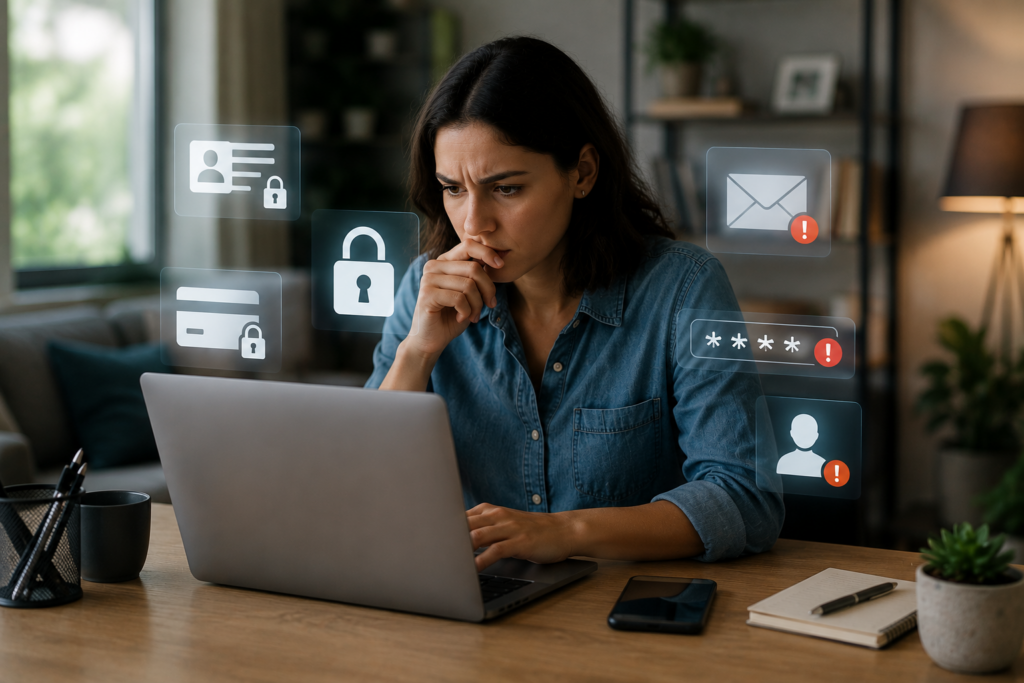
What is Digital Identity?
Digital identity is the online collection of who you are. It includes things like email, usernames, and IP addresses. It also includes cookies, social media, and government numbers like Social Security numbers.
It’s not just simple info. It also includes device fingerprints, biometrics, and how you act online. All these things make a record that companies and hackers can see.
Key Components of a Digital Identity
At the heart are your login details. This includes passwords, tokens, and more. Your name, birthdate, and address add more to your profile.
Your online habits and devices also play a big role. Things like what you browse and how you type can reveal a lot. Your social connections and what you share add to your digital identity. Companies and others collect and use this info.
How Digital Identities are Created
Creating an account or using a mobile app starts your digital trail. Online shopping and government services add more details. Cookies and trackers follow you, helping companies target you.
Data brokers collect public records and online data into detailed profiles. Breaches and public posts can add sensitive info. Laws like the California Consumer Privacy Act guide how companies handle this data, protecting your privacy.
| Source | Data Collected | How It Builds Identity | Protection Focus |
|---|---|---|---|
| Account Sign-ups | Email, username, password | Establishes primary credentials and recovery methods | Secure authentication and strong passwords |
| Devices & Apps | Device IDs, MAC addresses, app metadata | Creates persistent device fingerprints tied to behavior | Device management and software updates |
| Trackers & Cookies | Browsing history, cross-site activity | Enables profiling and targeted ads across sites | Privacy controls and tracker blockers |
| Public Records & Brokers | Addresses, legal filings, aggregated profiles | Combines diverse sources into searchable dossiers | Data access requests and legal protections |
| Behavioral Signals | Typing patterns, click behavior, location | Refines identity with continuous authentication cues | Limit data sharing and review app permissions |
Rising Threats to Digital Identity
Digital identities face many threats that risk our personal data and money. Good cyber security and habits help protect us. This section talks about common attacks, U.S. statistics, and examples of how vulnerabilities can harm us.
Common Types of Cyberattacks
Phishing and spear-phishing are big threats. Scammers send fake emails or texts that look like they’re from banks or friends. They try to get your passwords.
Credential stuffing uses stolen login info from one site to get into others. Brute-force attacks guess your password by trying many combinations. SIM swapping lets scammers get your mobile number to steal two-factor codes.
Malware like keyloggers and remote access trojans can control your device. Man-in-the-middle attacks steal data on public Wi-Fi. Big data breaches give scammers lots of personal info.
Social engineering tricks people into giving out access. These tactics often lead to stolen accounts and fraud.
Statistics on Digital Identity Theft
Reports to the Federal Trade Commission have gone up a lot. In one year, the FTC got over two million complaints about fraud and identity theft. Many of these were about identity misuse.
The FBI’s IC3 saw more business email compromise and payment fraud. The Verizon Data Breach Investigations Report shows credential-related incidents are common. Victims often lose hundreds or thousands of dollars.
Synthetic identity fraud is growing. More online services mean more remote access tool attacks and account takeovers. This makes digital identity protection and online security more important.
Real-World Examples of Identity Theft
Big retail breaches have exposed millions of records for scams and unauthorized credit applications. Healthcare breaches have released personal and medical data for fraud and insurance misuse.
Phishing has emptied bank accounts and caused wire fraud losses. SIM swap attacks have led to big cryptocurrency thefts when scammers control phone numbers tied to exchange accounts.
Data from brokers or breaches is used for social engineering. Scammers use email addresses, birthdates, and phone numbers for convincing attacks. People who reuse passwords, share too much online, or skip security steps are at high risk. Elderly and wealthy people, and those who use social media a lot, are targeted more.
The Importance of Digital Identity Protection
Digital identity protection is crucial because identity theft can cause big losses fast. If someone gets into your accounts, they can spend your money and take out loans in your name. This can hurt your credit score for a long time.
Fixing identity theft issues is hard. It involves long calls with banks and legal steps. It can also mess up your medical records and job chances.
Why Everyone is at Risk
Everyone’s personal info is at risk because of data breaches. Weak security in third-party apps and public Wi-Fi lets hackers in. Sharing too much on social media also makes you vulnerable.
Even a small piece of info can be used to steal your identity. So, protecting your personal info is key for staying safe online.
Long-Term Impacts on Victims
Identity theft can have lasting effects. Fixing your credit score can take years. You might also have to pay for ongoing monitoring and legal help.
Victims may face higher insurance costs or be denied services. The damage to your reputation can affect your personal and professional life.
Taking Action Now
Acting early can reduce the harm and speed up recovery. Regularly check your accounts and use strong passwords. Treat protecting your digital identity like home insurance.
Best Practices for Protecting Your Digital Identity
Protecting your accounts is easy with daily habits. Simple changes in password security, two-factor authentication, and internet connections boost your online safety.
Regular Password Updates
Make long, unique passwords for each account. Use passphrases or a password manager like LastPass, 1Password, or Bitwarden to keep them safe.
Reusing passwords is risky. Change them after a breach and update critical account passwords yearly.
When making a password, aim for length and uniqueness. Mix unrelated words, add numbers and symbols, and avoid easy substitutions. Store your passwords in a manager, not written down.
Two-Factor Authentication
Turn on two-factor authentication for all accounts that offer it. This extra step makes your online security much stronger.
Choose authenticator apps like Google Authenticator or Authy for important accounts. While SMS 2FA is better than nothing, it’s not as secure as apps or hardware tokens like YubiKey.
Push-based 2FA is convenient and secure when used with a trusted device. Keep backup codes safe and check your recovery options often.
Using Secure Connections
Always use HTTPS for logins and transactions. Avoid public Wi-Fi for sensitive activities unless you’re using a VPN. A VPN protects your data on untrusted networks.
Secure your home network with WPA3 and change default router passwords. Update your router’s firmware to fix vulnerabilities. Always check site certificates before sharing sensitive data.
Other key steps include keeping software up to date, limiting app permissions, and reviewing account recovery settings. These actions enhance your data privacy and protect your digital identity.
Opt out of data broker listings when you can. Regularly check your credit reports and freeze your credit if you notice anything odd. These steps strengthen your data privacy and support your digital identity protection.
| Practice | Why It Helps | Tools or Actions |
|---|---|---|
| Password hygiene | Reduces risk from credential reuse and breaches | Password managers (1Password, Bitwarden), passphrases, periodic changes |
| Two-factor authentication | Adds an extra barrier if passwords are stolen | Authenticator apps, YubiKey, push 2FA; avoid SMS-only for key accounts |
| Secure connections | Protects data in transit on untrusted networks | HTTPS, VPN for public Wi-Fi, WPA3 home Wi-Fi, router updates |
| System and app updates | Closes security holes attackers exploit | Enable automatic updates for OS, browsers, antivirus |
| Monitoring and recovery | Helps detect and respond to identity misuse | Credit checks, freeze credit, review recovery contacts and backup codes |
The Role of VPNs in Digital Security
Virtual private networks (VPNs) are crucial for online safety. They encrypt your internet traffic and hide your IP address. This protects your data when using public Wi-Fi or home networks.
A trusted VPN also keeps your browsing private from internet service providers and others. It supports a stronger digital identity protection.
How VPNs Protect Your Data
A VPN makes a secure tunnel between your device and a remote server. This encryption blocks snooping in public places like cafes and airports. It also stops simple attacks from revealing your personal info.
But, encryption only protects your data in transit. It won’t remove malware or block phishing attacks. Think of it as one part of your online security, not a complete shield.
Choosing the Right VPN
Look for a VPN with strong encryption like AES-256 and a no-logs policy. Audits by firms like Deloitte or PwC are a plus. The location of the VPN provider is also important, with privacy-focused ones often in Switzerland or Panama.
Choose a VPN with a reliable kill switch, apps for many platforms, fast servers, and a clear privacy policy. Check out ExpressVPN, NordVPN, and Proton VPN. Compare their server coverage, speed, and audits before you decide.
Common Misconceptions About VPNs
Many think VPNs offer complete anonymity. But, they only hide your IP address. Websites, social accounts, and cookies can still trace your activity back to you.
VPNs don’t stop malware or phishing attacks. Free VPNs might sell your data or track you. For real protection, use paid, audited VPNs with antivirus, two-factor authentication, and strong passwords.
Social Media and Digital Identity
Social platforms shape how others see you online. Managing profiles with care helps protect your digital identity. Small habits can reduce risks and keep your personal info safe.
Privacy Settings You Should Use
Start with the basics on each major platform. On Facebook, set profile visibility to Friends, turn off public search indexing, disable location history, and enable login alerts.
On Instagram, switch to a private account, review third-party app access, and turn off precise location tagging for posts. For X (Twitter), protect tweets, limit who can tag you, and check connected apps. On LinkedIn, hide your connections, disable public profile viewing by search engines, and review third-party permissions.
Review friend lists and follower settings every few months. Audit app permissions across iOS or Android. Enable two-factor authentication and use login notifications to boost online security and digital identity protection.
Risks of Sharing Too Much
Posting birthdates, pet names, or family photos creates clues for attackers. Many sites use common security questions that reveal answers through oversharing.
Travel posts and routine location updates let criminals infer your habits. Scammers craft targeted messages that reference personal posts to gain trust. Photos may carry EXIF data revealing timestamps and precise locations, which undermines personal information protection.
Monitoring Your Digital Footprint
Check your online presence often. Google your name, set Google Alerts, and audit old accounts for deletion. Remove unnecessary profiles and keep active accounts locked down for data privacy.
Request removal from data broker sites like Spokeo, Whitepages, and PeopleFinder when possible. Use platform content removal tools to take down sensitive posts. Set sensitive accounts to private and perform periodic cleanups to maintain social media privacy and protect personal information.
Adopt mindful posting habits. Delay vacation photos until after you return. Use pseudonyms for nonessential accounts. Small, consistent steps improve online security and strengthen long-term digital identity protection.
Tools and Resources for Digital Identity Protection
Choosing the right tools is key to protecting your digital identity. A mix of endpoint defenses, identity monitoring, and browser safeguards is best. This approach boosts online security and fights identity theft.
Antivirus
Good antivirus software protects Windows, macOS, iOS, and Android from malware and ransomware. Microsoft Defender is great for Windows. Norton and Bitdefender work on many platforms. Malwarebytes helps with specific threats.
Look for features like real-time scanning and web protection. Keep your software up to date. Using antivirus reduces risks and strengthens your device’s security.
Identity theft protection services
Services like LifeLock by Norton, Experian IdentityWorks, and IdentityForce offer credit monitoring and dark web scans. They also help with identity restoration and offer some insurance. These services add a safety net and help with fraud recovery.
Prices vary by plan. Pros include quick alerts and expert help. Cons include ongoing costs and coverage limits. The FTC suggests comparing plans and reading terms. Free credit monitoring from major credit bureaus can also help.
Browser extensions for security
Password manager extensions, like 1Password, make strong passwords easy and sync them safely. Ad and tracker blockers, such as uBlock Origin and Privacy Badger, limit data collection. Modern browsers often have HTTPS enforcement, making HTTPS Everywhere less needed.
Advanced users might use script blockers like NoScript. Anti-phishing extensions help avoid fake sites. Only allow trusted extensions and update them often to keep your online sessions safe.
Here’s a quick checklist for effective tool use:
- Antivirus on every device for constant malware defense and web filtering.
- Password manager plus unique passwords and two-factor authentication for accounts.
- Identity monitoring for credit and dark web alerts as part of identity theft prevention.
- Browser extensions that block trackers and phishing attempts to harden web sessions.
For more help, check out U.S. government sites like the FTC and CISA. Industry reports and articles from Consumer Reports offer useful advice. Combining antivirus, a password manager, 2FA, and identity monitoring creates strong cyber security and protects your digital identity long-term.
What to Do if Your Identity is Compromised
If you find out someone has accessed your info, act fast. This helps limit the damage and start fixing things. Follow these steps to get your accounts back and keep your online life safe.
Immediate Steps to Take
First, change the passwords on all affected accounts. Choose strong, unique passwords and turn on two-factor authentication. Use a good password manager to keep your passwords safe.
Next, call your bank and credit card companies to freeze or close any compromised accounts. Remove your payment info from apps and websites. Also, disconnect any unknown devices from your accounts and network.
Run a full scan on your devices for malware and viruses. Check your account activity logs for anything strange. Save any screenshots and export activity logs for later use.
Reporting Identity Theft
Report the theft to the Federal Trade Commission at IdentityTheft.gov. They’ll give you a plan to recover and an affidavit. Also, tell your local police and ask for a copy of the report.
Then, contact the three big credit bureaus to put a fraud alert or freeze on your credit. Tell banks, utilities, and mobile providers about the theft. They can lock your accounts and stop further misuse.
If your Social Security number was stolen, tell the Social Security Administration. Follow their advice. Keep all your reports and reference numbers in a safe place.
Rebuilding Your Digital Identity
Quickly dispute any fake accounts and charges with creditors and credit bureaus. Follow the FTC’s plan to clear up your credit report and get back to normal.
Think about using identity restoration services if your bank or insurance offers them. Keep a close eye on your credit reports, bank statements, and account alerts for a year. Make a recovery plan and store all your reports and emails in a safe spot.
Update your security questions and tighten your social media and financial account settings. Use credit-monitoring tools and set up alerts for new accounts. If the theft causes big financial or legal problems, talk to an identity theft attorney.
Learn from the experience to protect your identity better. Always check and update your digital identity protection and personal info protection. This is part of keeping your online life safe.
The Future of Digital Identity Protection
The world of online safety is changing quickly. New tech brings better defenses and new risks. It’s important to know how these changes will affect cyber security and data privacy.
Emerging Threats and Trends
Synthetic identity fraud is on the rise. Attackers mix real and fake data to get past security checks. AI and deepfakes make phishing and scams more believable.
Threats are getting smarter, using stolen data to scam more people. Supply-chain attacks target software and cloud providers, hitting many at once. APIs and IoT devices are new weak spots.
Innovations in Cybersecurity Technology
AI and machine learning help find threats faster and cut down on false alarms. Behavioral biometrics watch for unusual activity, offering more security than passwords.
Standards like FIDO2 and WebAuthn are becoming popular, reducing the risk of stolen passwords. New encryption and blockchain-inspired identity models give users more control over their data.
The Shift Towards Biometric Security
Biometric security, like fingerprint and face recognition, is becoming more common. It’s harder to steal than passwords and makes logging in easier.
Apple’s Secure Enclave stores biometric data locally, reducing risk. Multi-modal biometrics use different factors to boost accuracy. But, biometric data is permanent, so keeping it private is key.
Users should think about the trade-off between convenience and privacy. Supporting stronger data protection laws and holding companies accountable is crucial for protecting identities as threats grow.
Conclusion: Taking Proactive Steps
Protecting your digital identity is easy with simple steps. Use strong, unique passwords and a password manager. Also, turn on two-factor authentication with an app or hardware key.
Keep your devices and apps up to date. Run good antivirus software. Use a trusted VPN on public Wi-Fi to stay safe online.
Recap of Best Practices
Make your social media settings private and think about what you post. Check your bank and credit card accounts often. If you’re worried, use identity monitoring services.
Encouragement to Stay Informed
Keep up with advice from the Federal Trade Commission and CISA. Also, follow cybersecurity leaders like Microsoft Security and CrowdStrike. Update your defenses as threats change to protect your digital identity.
Final Thoughts on Digital Identity Protection
Protecting your identity is a manageable task. It lowers risks and keeps your privacy safe. Small habits like updates and careful sharing can save you a lot of time and money.
Begin by checking your passwords, enabling 2FA, and setting up credit monitoring. This will help prevent identity theft.