
advertisement
Nearly half of U.S. adults now use a voice assistant or wearable regularly. This shows how fast AI has become a daily habit.
AI makes our daily tasks easier. It uses machine learning, natural language processing, and more. We can schedule meetings, sort emails, and even adjust our thermostats with it.
Real-world examples show how AI works. Siri and Google Assistant handle voice commands and set reminders. Gmail’s Smart Reply and Smart Compose make writing emails faster. Nest and Ecobee thermostats help save energy. Fitbit and Apple Watch track our health.
AI is changing how we live and work. It makes our homes and small businesses more productive. It reduces the hassle in our daily tasks.
This article will cover the basics of AI. We’ll see how AI makes our lives better. We’ll look at how AI helps with productivity, home automation, communication, and more. We’ll also talk about trends, ethics, and how to start using AI.
Understanding AI and Its Role in Daily Life
Everyday technology uses systems and software that perform tasks normally needing human intelligence. These range from simple rule-based automation to advanced neural networks. Think of artificial intelligence as a field of study and a set of consumer tools that help with routine problems.
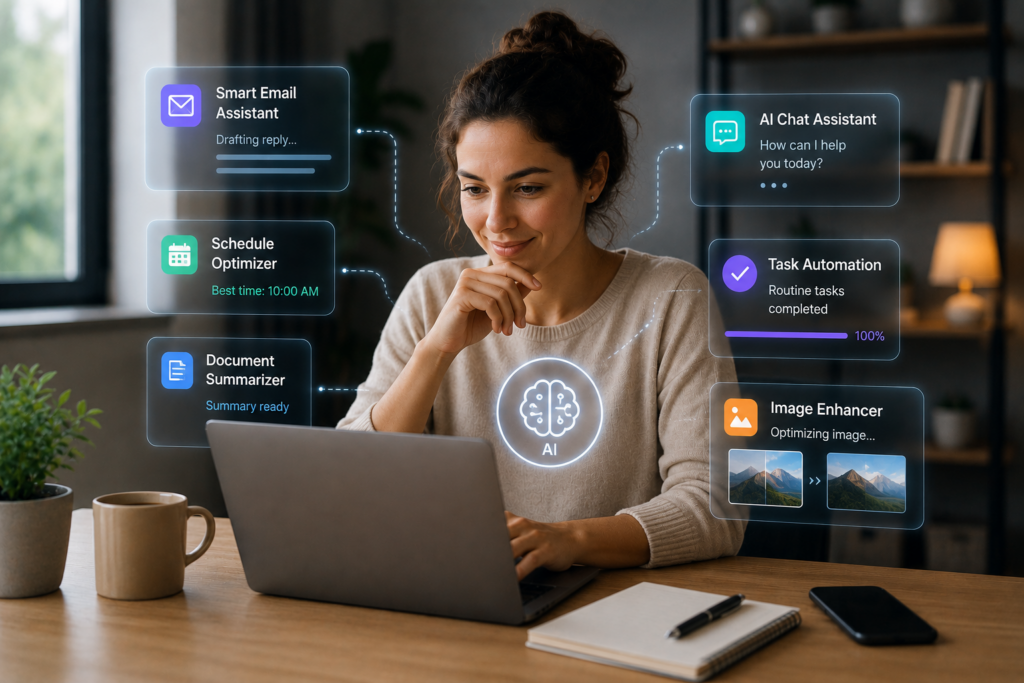
Below are core ideas that make modern conveniences possible. Each entry explains what you will see in apps and devices you use every day.
What Is Artificial Intelligence?
Artificial intelligence applications are tools that learn, reason, perceive, or process language. In practice, that means software can sort email, transcribe speech, tag photos, and suggest playlists. The field studies methods while consumer-facing services deliver visible benefits.
Types of AI Technologies
Machine learning for daily tasks finds patterns in data so systems improve with use. Supervised learning maps inputs to known outputs, unsupervised learning groups similar items, and reinforcement learning optimizes actions through feedback.
Natural language processing interprets and generates human language. It powers voice assistants, search suggestions, and smart replies. Computer vision reads images and video to enable photo tagging and object detection.
Rule-based automation executes repetitive workflows with set conditions. It often handles predictable actions like routing forms or turning lights on at sunset.
| Technology | Core Function | Everyday Example |
|---|---|---|
| Machine Learning | Finds patterns from data to predict outcomes | Recommendation engines on Netflix and Spotify |
| Natural Language Processing | Understands and generates human language | Siri and Google Assistant answering queries |
| Computer Vision | Interprets images and video | Photo tagging in Google Photos and iCloud |
| Rule-Based Automation | Executes fixed workflows and triggers | IFTTT routines and smart home scenes |
Readers will meet practical terms like models, training data, algorithms, neural networks, and APIs. Training data teaches a model to recognize patterns such as spam emails or spoken words. An API connects apps so a smartphone can request cloud-based processing.
Many consumer features rely on cloud servers for heavy lifting or on-device inference for privacy and speed. This blend supports AI integration in daily life without forcing constant network use.
Examples show how these technologies translate into simple conveniences: voice assistants use NLP and speech recognition to set timers; email autofill pairs ML with language models to draft replies; smart thermostats use sensor data plus learning for efficient heating.
AI integration in daily life aims to boost efficiency, accuracy, convenience, and personalization. Expect these systems to make routine tasks faster and less error-prone while adapting to each user’s habits.
Benefits of AI for Everyday Tasks
Artificial intelligence is changing how we manage our daily lives. It automates tasks and offers smart suggestions. This means we spend less time on repetitive chores.
AI makes our workflows faster, reduces mistakes, and lowers costs. This is true for both individuals and small businesses.
Increased Efficiency and Productivity
AI tools automate tasks like scheduling and email sorting. Gmail’s Smart Compose helps with writing. Google Calendar’s calendar assistants make setting meetings easier.
Transcription services like Otter.ai and Rev create meeting notes quickly. These tools save time for more important tasks.
Small businesses work faster and prioritize better with AI. Individuals can multitask better and focus on strategic tasks.
Reduced Human Error
AI catches errors and flags potential issues. Grammar and style checkers like Grammarly improve writing. Accounting software and banking apps use AI for fraud detection.
AI helps reduce errors but still needs human review. Complex decisions and final approvals require human judgment.
Cost Savings in Time and Resources
Automating admin work saves time and money. Smart thermostats and home energy management lower utility bills. AI in bookkeeping saves time on accounting.
Chatbots answer routine customer questions, reducing the need for extra staff. U.S. small businesses can use affordable AI tools like Zapier or IFTTT. This makes AI accessible and cost-effective.
AI in Personal Productivity Tools
Personal productivity has evolved with small, smart features. These features save time and reduce hassle. Now, people use AI tools and smart tech to organize their notes and plans.
Smart assistants make quick actions effortless.
Voice helpers like Siri and Google Assistant can do a lot. They handle calls, texts, reminders, and more. They also control your smart home devices with just a voice command.
They learn your habits and offer suggestions based on your schedule. Siri and Google Assistant balance privacy and convenience. You can choose how much data they collect.
Task apps use AI to keep projects moving.
Apps like Todoist and Microsoft To Do suggest smart schedules. Notion uses AI to improve templates. Trello and Asana automate tasks to help you focus.
These apps prioritize tasks and predict deadlines. They summarize your tasks so you can focus on what’s important.
How to get started without overwhelm.
Start by linking one assistant to your calendar or email. Try one AI feature at a time. See how much time you save before adding more tools.
| Feature | Example Services | Benefit |
|---|---|---|
| Voice commands | Siri, Google Assistant | Hands-free calls, texts, navigation, and quick searches |
| Smart home control | HomeKit, Google Home, Amazon Alexa | Centralized device control from one assistant |
| Smart scheduling | Todoist, Microsoft To Do | Automatic task timing and deadline suggestions |
| AI templates and content | Notion AI | Faster note drafting and structured project pages |
| Automated workflows | Trello, Asana, Zapier, IFTTT | Trigger-based task creation and summary actions |
AI for Home Automation
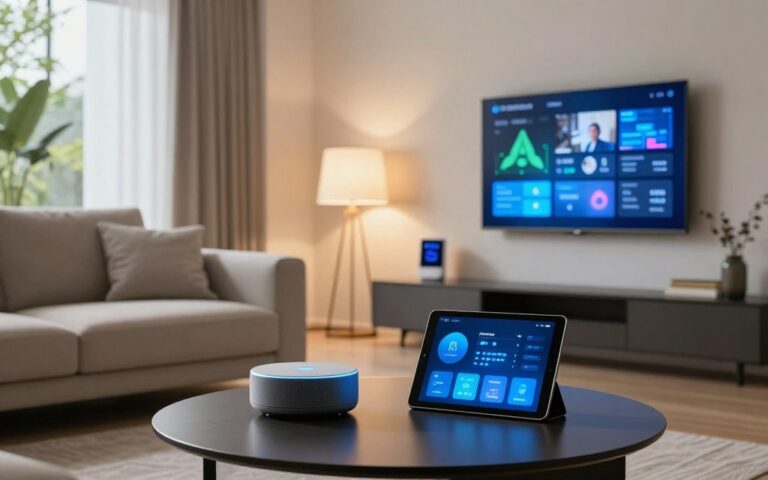
Smart technology is changing our homes. Devices now talk to each other, learn our routines, and respond to voice commands. This makes our lives easier and saves us time and energy.
At the heart of a smart home are common devices. Thermostats like Google Nest and Ecobee adjust temperatures based on our schedules. Smart speakers, such as Amazon Echo and Google Nest, let us control things with our voices.
Smart locks from August and Schlage offer secure, keyless entry. Philips Hue lights can be controlled with scenes and schedules. Security cameras by Ring and Arlo send alerts and record footage in the cloud.
AI makes these devices work together seamlessly. They learn our habits and adjust automatically. Platforms like Apple HomeKit, Google Home, and Amazon Alexa help them talk to each other.
AI-driven thermostats save energy by learning our preferences. Automated lighting cuts down on electricity use. Smart appliances can also save energy by running during off-peak hours.
How much you save depends on your home and local rates. Starting with a few devices, like a thermostat and smart plugs, can make a big difference. Make sure your Wi-Fi is secure and your devices are updated regularly.
Enhancing Communication with AI
Artificial intelligence is changing how we manage messages and bridge language gaps. These tools save time and reduce stress when used right. They are useful aids, not replacements for human judgment.
AI-Driven Email Categorization
Gmail uses a tabbed inbox to sort mail into Primary, Social, and Promotions. Smart Reply suggests quick responses, and Smart Compose completes phrases for you. These features make quick work of common replies and help sort your inbox.
Microsoft Outlook has a Focused Inbox for key messages. It also uses AI to spot spam and phishing. Tools like SaneBox offer advanced filtering and snooze functions for specific lists.
Using these tools can speed up inbox management, reduce mental effort, and quicken responses. But, watch out for occasional mistakes. Training filters and checking filtered items ensures important emails aren’t missed.
Language Translation Tools
Text translation has gotten better with neural models from Google Translate, Microsoft Translator, and DeepL. These services are great for understanding foreign content and getting the gist.
For speech-to-text and transcription, Otter.ai and Rev are reliable for meetings and interviews. Real-time voice translation helps during travel, calls, or live subtitling for videos.
These tools are accurate for everyday use. But, idioms and industry jargon might need human review for important documents. For formal communication, mix machine output with human editing to ensure tone and precision.
Practical steps: enable Smart Reply or Smart Compose for routine messages to save time. Use AI translation for quick cross-language interactions. But, rely on human editors when context or accuracy is crucial. These habits show how AI supports smoother communication and broader integration in daily life.
| Feature | Common Tools | Primary Benefit | Consideration |
|---|---|---|---|
| Email tabs and sorting | Gmail tabs, Outlook Focused Inbox, SaneBox | Faster inbox triage | May require training to avoid misclassification |
| Smart reply and compose | Gmail Smart Reply, Smart Compose | Quicker replies for routine messages | Not suited for nuanced or sensitive responses |
| Spam and phishing detection | Outlook AI filters, Gmail protections | Improved security and reduced risk | False positives can sometimes hide real messages |
| Text translation | Google Translate, DeepL, Microsoft Translator | Fast comprehension of foreign content | Idioms and technical jargon may need review |
| Speech transcription | Otter.ai, Rev | Efficient meeting notes and captions | Accuracy varies with audio quality and accents |
| Real-time voice translation | Microsoft Translator, Google Translate app | Live cross-language conversations | Best for casual use; not perfect for legal or medical talk |
AI in Social Media Management
Social media moves quickly. Marketers and creators need smart tools to keep up. AI helps with content creation, tracking feelings, and making data useful for teams.
Content Creation Assistance
Tools like Canva’s Magic Write and Adobe Firefly help write captions and headlines quickly. They suggest images, hashtags, and different versions for testing.
Use AI to turn long posts into short clips or slides. AI can start drafts, but always check for accuracy and originality before posting.
Social Listening and Engagement Metrics
Tools like Brandwatch and Sprout Social use AI to find trends and important topics. They show what works best and when to post.
Set alerts for mentions and use reports to find standout posts. But remember, AI might miss sarcasm or complex feelings. Always use your own judgment.
Workflows mix scheduled posts with real-time monitoring. Use data to improve your work and learn from AI examples.
AI for Financial Management
AI is changing how we manage money. It makes budgeting easier, spots fraud, and automates accounting. This makes tracking finances simpler and safer.
Budgeting Assistance with AI Apps
Apps like Mint and YNAB use AI to sort transactions and predict spending. Banks now offer budget suggestions based on income and habits. These tools help track cash flow and remind us of bills.
Services like Digit and Chime’s Save When You Get Paid automatically save money. They analyze spending patterns to move small amounts into savings. This way, users save money without having to do it manually.
AI tools also help find and cut recurring charges. But, it’s important to check these suggestions and make big financial decisions yourself.
Fraud Detection and Security Measures
Banks and payment processors use AI to spot and block suspicious transactions. They send alerts and require extra checks when they find something unusual. This keeps your money safe.
Behavioral biometrics add extra protection by noticing unusual login behavior. QuickBooks and Xero use AI to auto-categorize receipts and flag any oddities. This reduces errors and fraud risk.
To stay safe, enable security features, use biometric logins, and keep an eye on alerts. These steps, along with AI, strengthen your financial security.
| Feature | Examples | Benefit |
|---|---|---|
| Automated Budgeting | Mint, YNAB, PocketGuard | Forecasts spending and recommends budgets for better cash flow |
| Automated Savings | Digit, Chime Save When You Get Paid | Moves small amounts to savings without manual effort |
| Fraud Detection | Bank alerts, processor monitoring | Blocks suspicious transactions in real time |
| Behavioral Security | Biometrics, anomaly flags | Detects unusual logins and prompts extra verification |
| AI Bookkeeping | QuickBooks, Xero | Auto-categorizes receipts and highlights anomalies for review |
AI and Health Monitoring
Wearable tech has evolved. Now, sensors, data, and smart models work together. Devices from Apple, Fitbit, and Garmin collect heart rate, motion, and sleep signals. Machine learning turns this raw data into clear trends you can act on.
Apple Watch offers continuous heart-rate monitoring, ECG readings, and Fall Detection. Fitbit tracks activity, sleep stages, and recovery metrics. Garmin provides in-depth fitness metrics for training load and stress. Each brand feeds sensor streams into AI systems that detect patterns like irregular heart rhythms, disrupted sleep, or declining activity over weeks.
AI examines small shifts in data to flag issues early. Models spot variations in resting heart rate, changes in sleep stage distribution, and deviations from baseline activity. These insights are examples of everyday AI examples at work, turning sensor noise into understandable signals.
Wearable Devices for Health Tracking
Devices sync with Apple Health, Google Fit, and third-party apps to create a single health timeline. Aggregation helps spot long-term trends across apps and clinics. Users get a fuller picture when steps, heart data, and sleep reports are combined.
Personalized Health Recommendations
Apps use machine learning for daily tasks to generate tailored suggestions. You may get workout plans based on recent performance, sleep tips that reflect your sleep stages, or nudges to meet activity goals. Consumer-facing insights focus on wellness guidance.
Clinically validated AI works differently. Hospitals and cardiologists use models for diagnosis or risk stratification after regulatory review. Users should consult clinicians before making medical decisions based on device alerts.
Practical benefits include higher adherence to activity targets, early alerts for irregular heartbeats, and clearer long-term health trends. AI for everyday tasks helps people stay on track by translating data into simple actions.
Privacy matters. Review app permissions and platform settings in Apple Health or Google Fit. Check how data is stored and whether it is shared with insurers or third parties. Control over sharing preserves trust while still enabling useful insights.
| Feature | Example Device | What AI Does | Practical Benefit |
|---|---|---|---|
| Heart monitoring | Apple Watch | ECG analysis and anomaly detection | Early alert for irregular heartbeat |
| Activity and sleep | Fitbit | Sleep stage classification and activity trend analysis | Personalized sleep tips and activity goals |
| Training metrics | Garmin | Training load and recovery modeling | Optimized workouts and reduced injury risk |
| Data aggregation | Apple Health / Google Fit | Cross-app data fusion and trend spotting | Comprehensive health timeline for users and clinicians |
AI in Customer Service
AI is changing how businesses talk to customers. Many use artificial intelligence to make support easier. This makes customers happier and saves money.
Chatbots: 24/7 Support
Chatbots help on websites and apps with simple questions. They handle booking, tracking orders, and basic fixes. Tools like Intercom and Zendesk’s Answer Bot show AI’s power in handling many requests.
These bots understand what you mean through natural language processing. They give answers or pass on tough questions to people. This means faster help and consistent answers.
Designers set up rules for when to pass on complex issues. This keeps customers happy and avoids frustration.
AI for Personalizing User Experiences
Personalization engines make recommendations in shopping and content. They help boost sales and keep viewers interested. For example, Amazon and Netflix use AI to suggest things you might like.
AI looks at what you like and who you are to give you the best content. Email marketers use AI to make their messages more appealing. News and shopping apps show you things you might be interested in.
It’s important to watch how chatbots work and be open about using AI. Also, make it easy for customers to talk to a real person. This way, businesses can use AI without losing trust or quality.
The Future of AI in Daily Routines
The next wave of artificial intelligence will change our daily lives. We’ll see faster, more private processing and tools that understand voice, text, and images. Personalization will learn from us without sending all our data to the cloud.
Trends to Watch in Development
Apple and Google are working on on-device models. These will make devices faster and keep your data safe. Soon, you’ll be able to describe a photo and get a detailed answer.
Generative AI will soon be in our everyday lives. Expect smarter home hubs and better tools in Microsoft 365 and Google Workspace. Wearables will give you health and productivity tips in real-time.
Potential Ethical Considerations
Privacy is key as AI becomes more common. Always read privacy policies and check your app permissions. Be wary of data sharing without your consent.
Bias in AI can lead to unfair results. Be cautious of AI’s advice, and ask for transparency. This is important in jobs, lending, and health advice.
AI will change jobs. While some roles may disappear, new ones will emerge. Learning to work with AI will open up new career paths.
When AI makes mistakes, we need to know who to blame. We need clear accountability and standards for AI use. This includes human oversight and error reporting.
By choosing vendors that respect privacy, we can shape AI’s future. Support sensible regulations and use AI wisely to enjoy its benefits while minimizing risks.
Overcoming Misconceptions about AI
The gap between hype and everyday use creates myths that scare people away from useful tools. Clear, simple facts help readers judge realistic options and try AI without fear. Below are common misunderstandings and practical notes on adopting AI in daily life.
Common Myths About AI
Myth: AI will instantly replace human jobs. Most consumer tools from Google and Microsoft automate repetitive steps and let people focus on higher-value work. Many tasks still need human oversight, judgment, and creativity.
Myth: AI is always accurate. Models make errors, even with usual inputs. Accuracy depends on the training data and tuning. Expect occasional mistakes and plan checks for critical tasks.
Myth: AI is only for big tech. Small businesses and individuals use affordable apps like Grammarly, QuickBooks, and smart assistants. Those everyday AI examples show that access no longer requires massive budgets or in-house teams.
The Reality of AI Integration
Real adoption happens in small steps. Start with low-risk features such as email auto-replies, smart-home routines, basic budgeting suggestions, or FAQ chatbots. These uses highlight the benefits of AI in daily routines without high stakes.
Measure impact, keep a human in the loop for important decisions, and update privacy and security settings. Track results so you can scale what works and stop what does not.
To reduce friction, test one feature at a time and set clear goals. Simple pilots reveal how AI for everyday tasks improves speed and convenience. With informed use, the gains can be steady and practical rather than disruptive.
Getting Started with AI Technologies
AI can make daily life easier by choosing tools that really help. Start by listing what bothers you, like too much email or wasted energy. Set goals like saving minutes each day or cutting utility bills. This way, you can see how well you’re doing.
Choosing the Right Tools
First, figure out the problem you want to solve. Then, set clear goals you can measure. Make sure the tools work with your devices and services. Read reviews and check privacy policies before you start.
Try free versions or built-in features first. Look for tools like smart assistants, email helpers, and home automation systems. Also, consider finance apps and wearables. Make sure they work well together by choosing tools from the same platforms.
Tips for Smooth Integration
Start with one AI feature at a time. For example, try Smart Reply and see how it works for a few weeks. Always check privacy and security settings. Keep your software and firmware updated.
Use alerts and manual checks for important tasks. This way, you can keep an eye on things. Track how well the tools are working for you. With small, careful steps, you can make your life easier with AI.